
I've used Termius for SSH on my iPhone for years. Most of what I do through it is small — checking a service, reading a log, restarting something that should have restarted itself. The on-screen keyboard is bad at all of it, but for a two-line command bad is good enough.
Then one evening, well after work hours, I got a message asking me to update an environment variable. I was in a hookah bar with nothing but my iPhone on me. One line in an .env file. I opened it in nano, changed the value and then spent more time figuring out how Termius expected me to press Ctrl than the change itself took.
I got there eventually. But that was the first time a Bluetooth keyboard for an iPhone stopped sounding like a useless invention.
The ones I didn't buy
Search for a keyboard for an iPhone and the first answer is Logitech. The first Logitech is Keys-To-Go 2 and on paper it's the obvious pick: 222 g, a cover that folds over the keys in a bag, coin cell batteries good for about three years and pairing with up to three devices. It's also nowhere to be found in Serbia.
What I could find was the original Keys-To-Go from 2015. Spill-resistant fabric over the keys and a small stand for the phone in the box — but stiff keys, micro-USB charging, one paired device and a top row given over to iOS shortcuts. The only one in stock had a UK layout, which puts |, \, #, ~ and " somewhere other than where a terminal expects them.
Apple's Magic Keyboard types better than anything else on the list and costs accordingly. Folding keyboards fit in a jacket pocket and put a seam through the middle of the keys. Neither felt like the right trade for something I'd mostly use at a café table.
The one I did
Pebble Keys 2 K380s. Larger than the Keys-To-Go, round low-profile keys, two AAA batteries rated for up to 36 months and a real Escape key in the corner where it belongs. US layout, 4,999 RSD — about €43.
The same store had it in a combo with the Pebble Mouse 2 M350s for 6,999 RSD. 2,000 RSD for a mouse I hadn't planned on. I bought it anyway and it turned out to be the part I liked most.
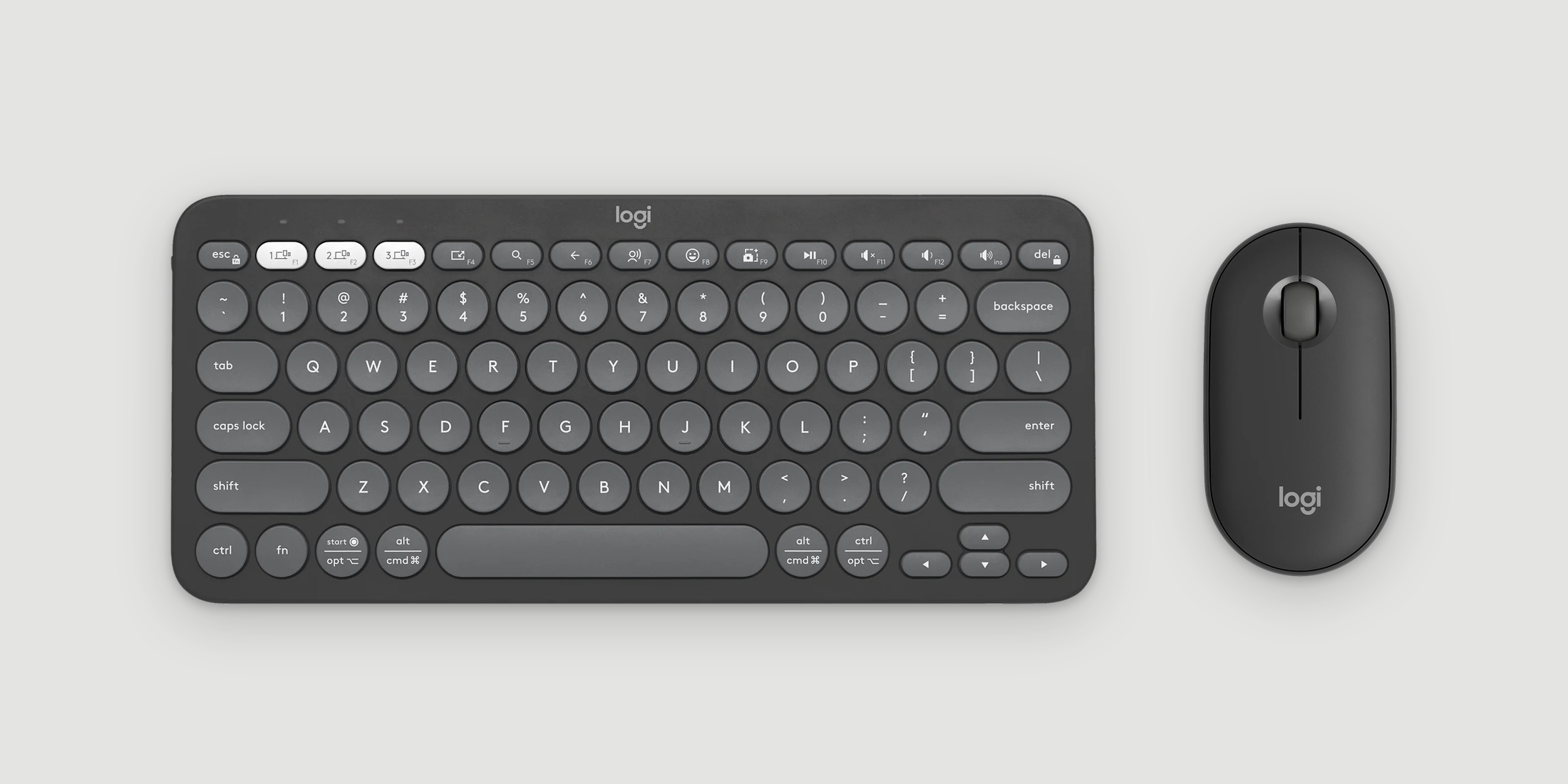
Pebble 2 Combo on the desk
Three lights
Pairing took less time than unboxing. F1, F2 and F3 double as Easy-Switch keys, each with a small light of its own. Hold one for a few seconds, the light starts blinking, pick the keyboard in Bluetooth settings and that channel belongs to that device. After that a short press switches. F1 is the MacBook, F2 is the iPhone and the light tells me which one I'm about to type into before I've looked at either screen.
The mouse does the same thing from underneath: one button, three channels and three lights on the bottom. The two don't have to follow each other — the mouse can stay on the Mac while the keyboard is on the phone.
One thing iOS doesn't tell you: the Hardware Keyboard section in Settings > General > Keyboard only exists while a keyboard is connected. Disconnect it and the menu is gone, which is a strange place to keep the settings for the thing you're trying to set up. That's where the layout lives, one per input language. Mine didn't match what was printed on the keys until I set every language to U.S.
A mouse on an iPhone
I didn't expect this part to work at all. The iPhone supports a mouse through AssistiveTouch: pair it over Bluetooth, switch AssistiveTouch on and a round pointer shows up that taps wherever you click.
The catch is that AssistiveTouch lives in Settings > Accessibility > Touch and leaving it on means a floating button on the screen the rest of the time. So I opened Shortcuts and described what I wanted in a sentence — a shortcut that turns AssistiveTouch on. It built one. I duplicated it, flipped on to off and named them Mouse On and Mouse Off. They live in a home screen widget next to the same pair for Low Power, Bluetooth and Wi-Fi.
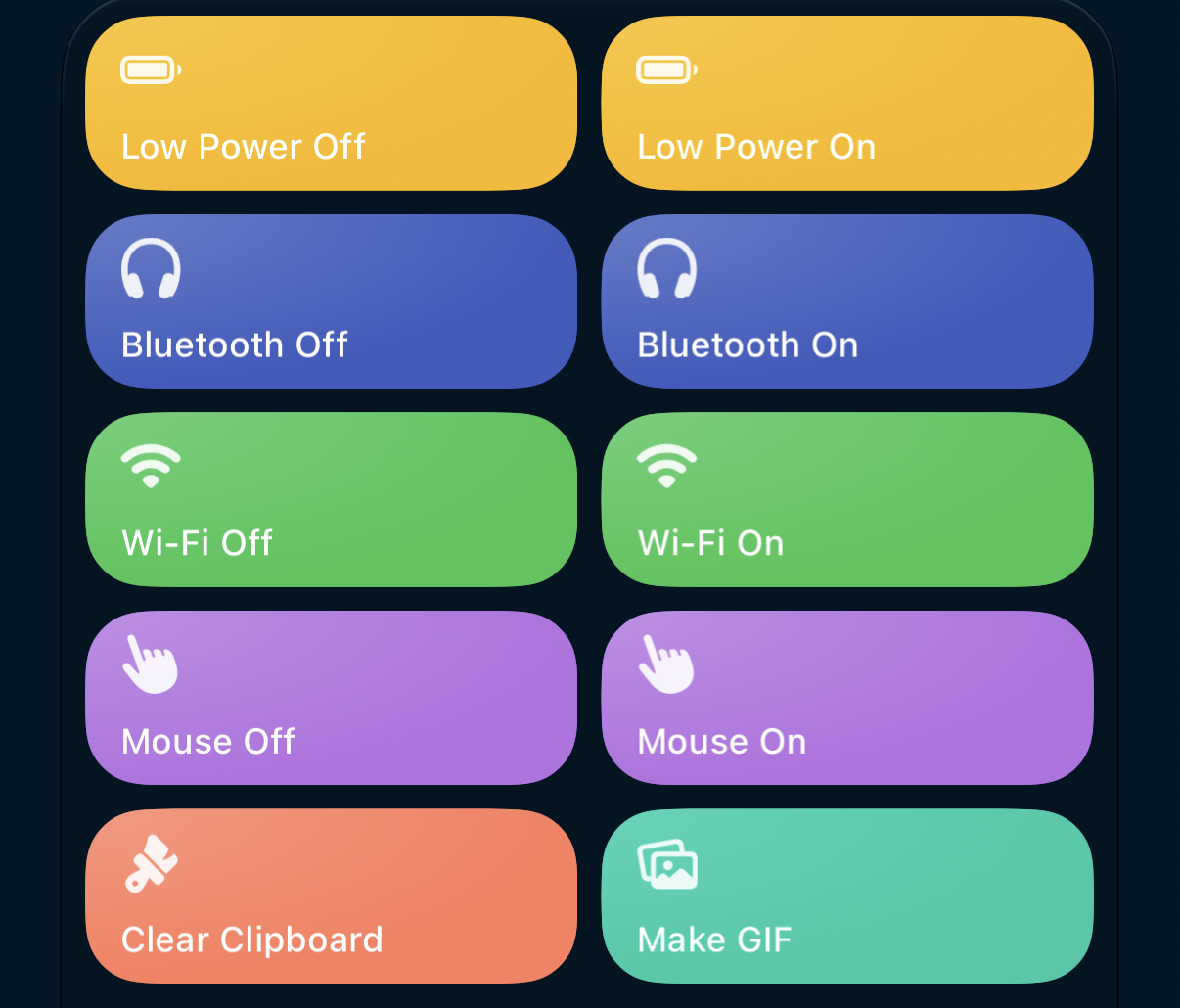
Shortcuts widget on my iPhone
Termius doesn't need a mouse. Everything around it is a different story and it's the first time a pointer on a phone has felt like a feature instead of a curiosity.
In short
A keyboard and a mouse on an iPhone always sounded to me like a solution looking for a problem. The phone is what I reach for when a real computer isn't around and dressing it up as one seemed to miss the point.
It turned out to be the other way around. The phone was never the problem — the glass was. With real keys in front of it, the Termius session I used to put up with is one I don't mind opening and a pointer on an iPhone is something I now actually use.
Next time a one-line change comes in at nine in the evening, it'll take as long as one line should.